Business cards,
done.
The business card scanner and digital business card for iPhone and Mac, made for iOS 27 and macOS 27. Scan any card into a complete contact, street address included; share yours as a link, a QR code, an NFC tap, or an Apple Wallet pass — private by design.



Everything a card throws at you.
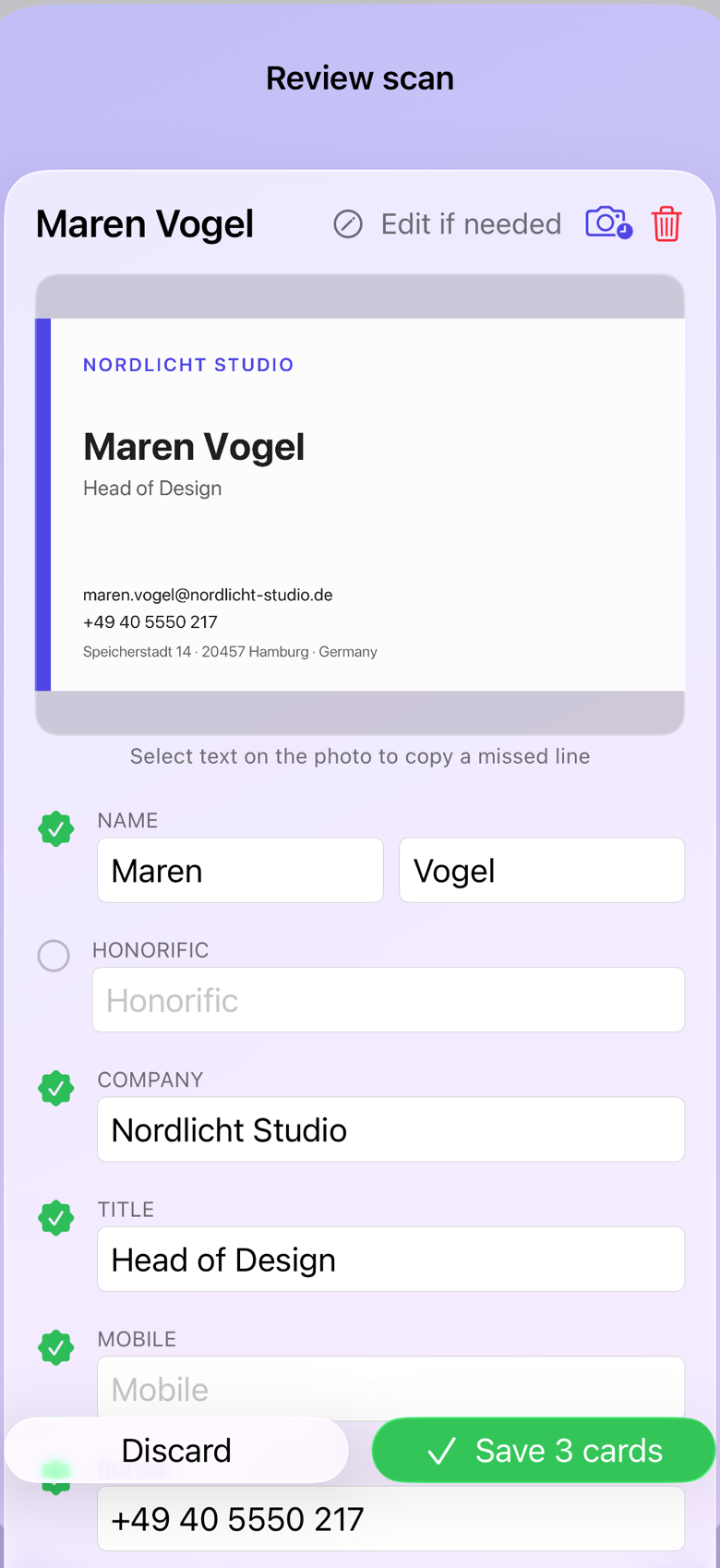
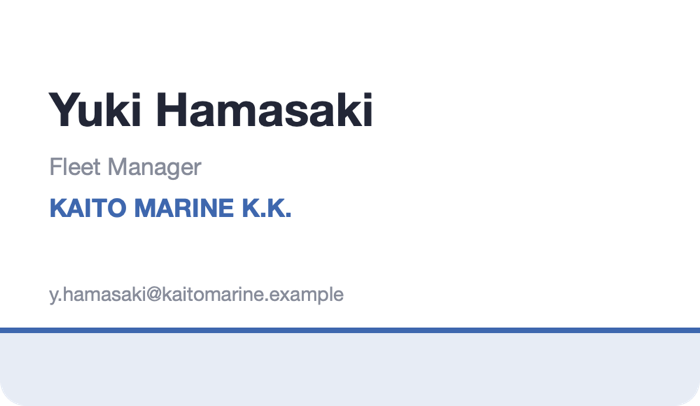
Not just a name and a number. cardlio reads the whole card: title, company, every phone and email, the website, and the street address down to the building and postcode. Anything it wasn't sure of is flagged before saving, so you check the one field that needs it — not all twelve, and never twice.
Scan anything with a card on it.
Live camera with on-device detection — even several cards at once, or whole photo imports. Met someone twice? cardlio spots the duplicate and merges to one contact, keeping every email and note from both.
Reads cards like a person would.
Layout decides who's the person and what's the company — ALL-CAPS names, spaced-out emails, and split addresses fixed on the way. Shaky reads carry a warning badge, and tapping any field zooms the photo to the exact spot it was read from — trust the green ones, glance at the amber.
Email signatures too.
Paste the text, get a contact.
Whole PDF stacks.
Import a folder of scans in one go.
See who you know — and where.
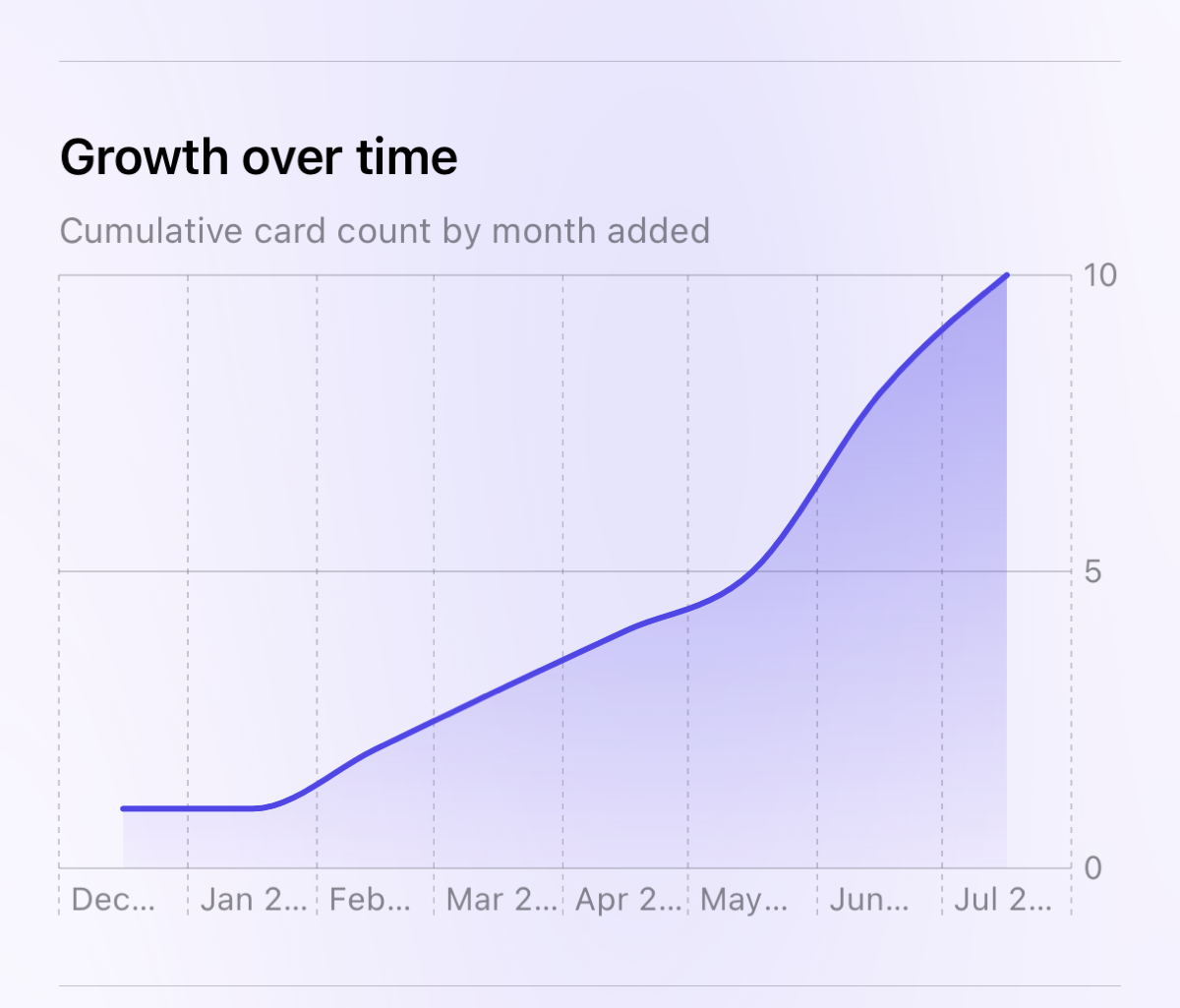
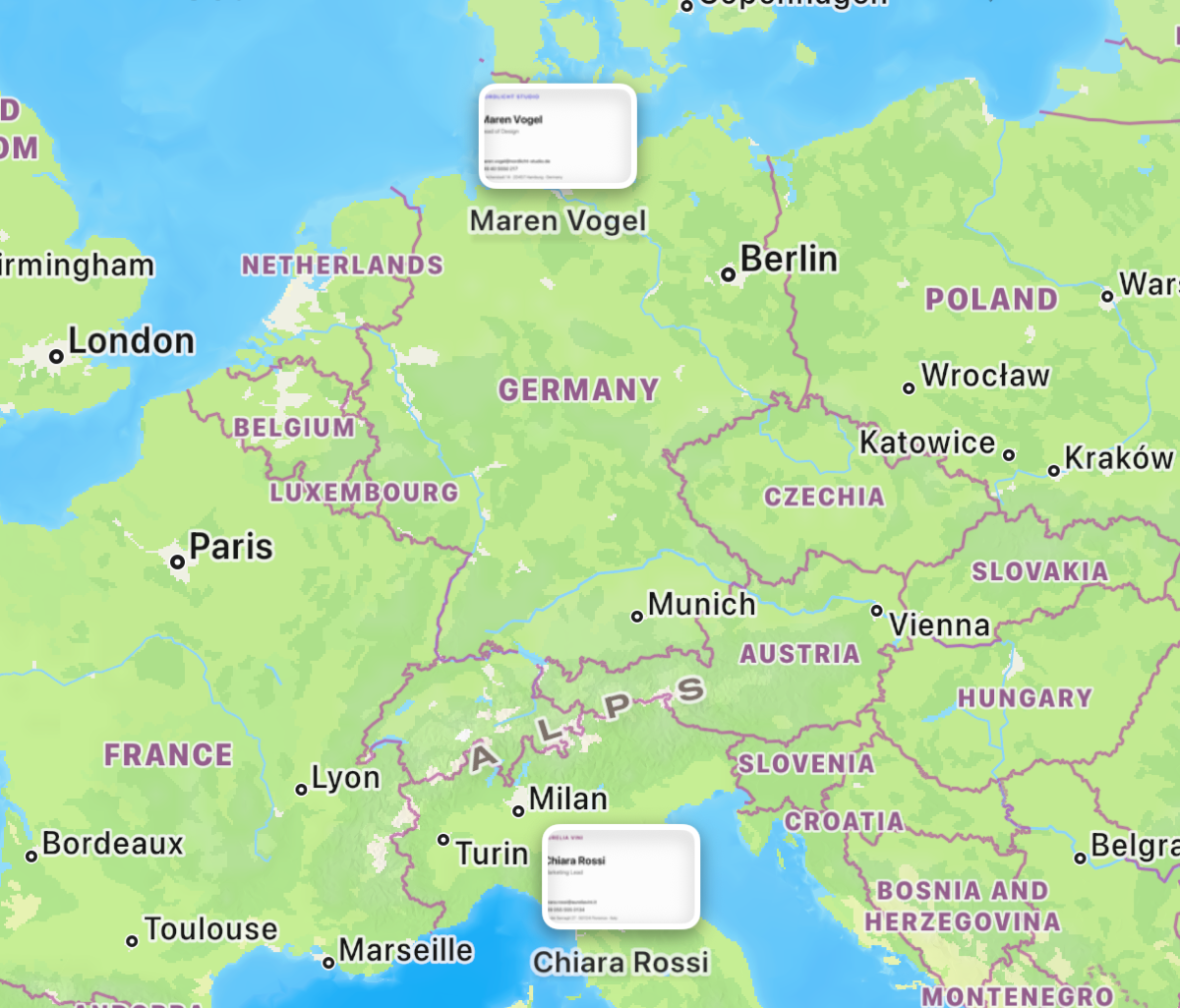
Contacts on a world map, industries and countries at a glance, growth over time. Search filters like Industry: Finance.
The full address, from any country.
Building, street, postal code, city and country, in the local format, with multi-office cards kept apart. Each address is then checked against Apple Maps.
Map imagery: Apple Maps.
Sync scanned business cards straight into Google Contacts or Office 365.
Connect your Google or Microsoft account once, then push your whole library into its contacts with a single click — no CSV files, no copy-paste.
- One click, both ways of tidy — new cards are added, edits update, removed cards drop off
- No duplicates — every contact is matched by a hidden ID, even after a reinstall or a new Mac
- Every field mapped — name, company, title, emails, phones, Business Fax, and full postal address
- Works from iPhone & Mac — the same one-click sync action on both
- Two address books — Google Contacts and Office 365 / Outlook, each into your own account and nowhere else
- Apple Contacts too — save any card straight into the address book already on your iPhone or Mac
- Four file formats — vCard, CSV, Outlook-ready CSV and Salesforce-ready CSV
- Or your own CRM — post each card you save to a web address you choose; off until you switch it on
What cardlio does not take from your Google account.
It reads back only the contacts it created itself, found by a marker it wrote. The rest of your Google Contacts are never requested and never received, the card photo is never sent, and sync runs one way — cardlio to Google — and only when you ask for it. Disconnect in Settings and the sign-in token is deleted; the contacts already in your account stay exactly as they are.
Ask your network a question.
“Who did I meet in Singapore who works in shipping?” Ask it the way you'd say it out loud, and cardlio answers — and lists the cards the answer came from, so you can check it rather than take its word.
It never asks a model to find the person. The model only decides what to search for, your own device does the searching, and the answer may name only cards that search actually found. An invented colleague has no card to attach to, so one can't appear. Names, job titles, companies, cities, industries, event tags and the notes you wrote yourself are all searched.
No account and nothing to pay per question. With Apple’s Private Cloud Compute as your AI provider, Apple’s larger model writes the answer from the few cards the search found; otherwise it runs on your device and works on a plane. Included with the app rather than sold as an extra. Needs Apple Intelligence.
Straight into your CRM
Every card you save can be posted to a web address you choose. Point it at a Zapier or Make hook and cards land in Salesforce, HubSpot, Pipedrive and most other systems; point it at your own server and do as you like with them. It stays off until you switch it on, the address is one you enter, and the card photo is never sent. It is the only feature that sends your cards to a destination you choose — and only because you told it to.
Tag the event afterwards
Most people scan the stack on the flight home, long after the moment to switch on Event mode has gone. Now you can select a pile of cards and tag them all at once — on the Mac from the right-click menu, on iPhone and iPad from Select Multiple.
Ask Siri about the people you met.
Siri now knows your cards as people. Ask “who did I meet at the expo who does logistics?” and it answers from your library; say “text the person from Tristar” and the card goes straight to Messages, or to Mail on the Mac. It's the same index Spotlight already keeps — nothing leaves your device.
Point the camera at a card
On iPhone, hold the Camera Control or open visual intelligence, tap Search, and cardlio appears with the name and company already read. Tap it and the review sheet opens with every card on that frame — nothing is saved until you've looked at it.
Apple's Private Cloud Compute, no key needed
Refine name, title and company with Apple's much larger model — no API key, no account, and Apple's servers keep nothing: the request is encrypted to the machines that answer it and erased when they're done. Pick it as the provider in Settings and it runs the Refine button, the pronunciation guide, industry tags and the automatic polish. Apple sets a daily allowance per person; cardlio shows where you stand, and when it's reached the polish simply carries on on your device. Claude and Gemini stay available with your own key, and Company Insights keeps using them because it reads the live web.
On earlier versions of iOS and macOS everything else works exactly as before.
Two hundred cards. Which five do you call first?
A stack of cards is not a list of leads until someone says which ones matter. Rate a card Hot, Warm or Cold while the conversation is still in your head — in the review right after the scan, or later on the card — and add your own interest tags for what they asked about.
Ratings that travel
A flame, a sun or a snowflake marks each card in the library, and you can search by rating or by interest. The rating goes where your leads go: into the CSV for Salesforce or Outlook, to your CRM webhook, and to the team library so the stand sees who is worth a call. It is never written into a vCard — a vCard is also how you share a contact, and your opinion of someone is not part of it.
Keep in touch
For the people worth more than one email, tell cardlio how often you want to be in touch. It shows who is due, drafts a short note on your own device, and can hand a repeating reminder to Reminders. cardlio sends no notifications of its own and tracks no pipeline — it only remembers what you asked it to.
Who is this?
Before the call, one tap in Company Insights looks the person up on the web with your own Claude or Gemini key, and shows what it found together with its sources. It runs only when you tap, sends the name, company, title, website and city — never an e-mail address or a phone number — and saves nothing to the card unless you say so.
One pile of cards for the whole stand.
At a fair you are rarely scanning alone. A team is a shared library for one event or project: everyone on it adds cards, reads them in full, and claims the ones they will follow up — so two people never chase the same lead.
Invite by Apple Account, nothing shared by accident
Create a team, add each colleague by the e-mail address or phone number of their Apple Account, and send them the invite link. The link opens the team only for people on the list. Nothing you scan is shared automatically: a card reaches the team when someone deliberately sends it there — a selection on the Mac, Select Multiple on iPhone, or the whole day's cards from the event chip.
Claim a lead — or all of them
Tap a team card to read it in full — photo, every field, who shared it and when. Claiming it puts your own copy in your library and shows the team it is taken; Add all unclaimed takes every open lead in one go, and a card a colleague already claimed can still be added to your library as a copy. Pull down, or press Refresh, to see what the stand added since. The team keeps a smaller photo than your original, so it stays light on everyone's iCloud.
Colleagues on Windows or Android
team.cardlio.app opens the team in any browser, and it works both ways. Colleagues sign in with their Apple Account, join from the invite, search the cards, claim leads — one or all — and download them as vCard, CSV, or everything as one ZIP with the photos. They can add people they met by typing them in or dropping a vCard file, and fix a typo for the whole team. New cards arrive while the page is open, and it installs like an app on a Windows PC or an Android phone. Like the app, it talks to Apple's iCloud directly — there is no server of ours in between, and we never see a team.
Their QR code, their NFC card, a screenshot, the back of the card.
More and more cards carry a QR code that opens a hosted contact page rather than a contact. cardlio recognises those, keeps the printed website as the website, and offers to fetch the contact details — one tap, and only when you say so, because the visit reaches the card owner's provider.
A screenshot works too
Share a screenshot of an e-mail signature, a chat message or a profile into cardlio and it reads the whole screen, keeping the block that carries the contact — name, title, company, phones, e-mail, address. The subject line and the rest of the screen are left out. On iPhone the system's text reader sometimes misses small grey type and links outright; cardlio spots the gap and re-reads those lines close up, and marks anything it could only read the quick way for a check.
Tap their NFC business card
On iPhone, More → Tap NFC Card… reads a Popl, Linq, Mobilo or cardlio tag. A tag that carries the contact is added on the spot; a tag that links to a contact page is offered first, exactly like a QR link. Two cardlio users need no network at all — the card is inside the link.
Address on the back? Both sides count
Refine sends the front and the back of the card to Claude, Gemini or Apple's model, so an address printed on the back is read too. The built-in reader handles building names like “One JLT” and district names like “Jumeirah Lakes Towers” properly, and files a P.O. Box where it belongs.
E-mail addresses are checked
When an e-mail's domain doesn't exist — usually one misread letter — the review sheet says so and offers the corrected address with one tap. Only the domain name leaves your device, to the same resolver every app uses.
The phone rings, and you already know who it is.
Scan someone's card and their number stops arriving as a stranger. When they call, iPhone shows their name and company right on the incoming-call screen — the same place a saved contact would appear, without adding anyone to your address book.
Every caller-ID app you have ever installed did this by sending your calls to a server to be looked up. cardlio doesn't. The numbers from your own cards are handed to iOS through Apple's own Call Directory and stay on the phone: nothing is uploaded, and no lookup service ever learns who is calling you.
Switch it on in cardlio's settings and once in iOS Settings, and every card you scan from then on joins it. Switch it off whenever you like. iPhone only — macOS has no equivalent to hook into.
The card was never the point. The email after it was.
Mark the people you owe an email while you're still reviewing the scan — one tap, and only for the ones that mattered. cardlio never guesses who was important; you decide, at the one moment you still remember the conversation.
Afterwards a dot marks them in your library and a single filter shows you everyone still waiting. Hand any of them to Reminders and the person, the company and where you met come along. cardlio doesn't read your mail and never claims a message was sent — the list is yours to clear.
Cards you couldn't read before
Tap Translate on a Chinese or Japanese card and the job title, company and address arrive in your language — on your own device, with the card keeping exactly what was printed on it. The translation stays with the card: it syncs to your other devices, exports with the contact, and you can search it — typing “Yusen Building” finds the card that prints 郵船ビル. Names stay as they were written, and become searchable in the Latin alphabet too: typing “shiquan” finds 黒士鎣.
A copy that's yours
Back up your whole library to one zip — photos, both sides, every field, plus a vCard per contact — and restore it on any Mac or iPhone. Open formats, so even without cardlio the photos are photos and the contacts are contacts.
Your network is nobody's business.
cardlio was built the old-fashioned way: your data is yours. No accounts, no tracking, no servers reading your contacts.
- On-device — scanning, reading, and organizing happen on your phone or Mac
- Your private iCloud — sync uses Apple's cloud, encrypted for you alone
- Links with nothing behind them — a shared card lives inside the link itself, never on a server
- No signal, no problem — scanning is fully offline, so it works exactly the same in a conference basement as on your desk
- Built to outlive us — your library lives on your devices and in your iCloud, in Apple's own contact formats; nothing about it depends on our servers existing
- No analytics — not in the app, not on this website
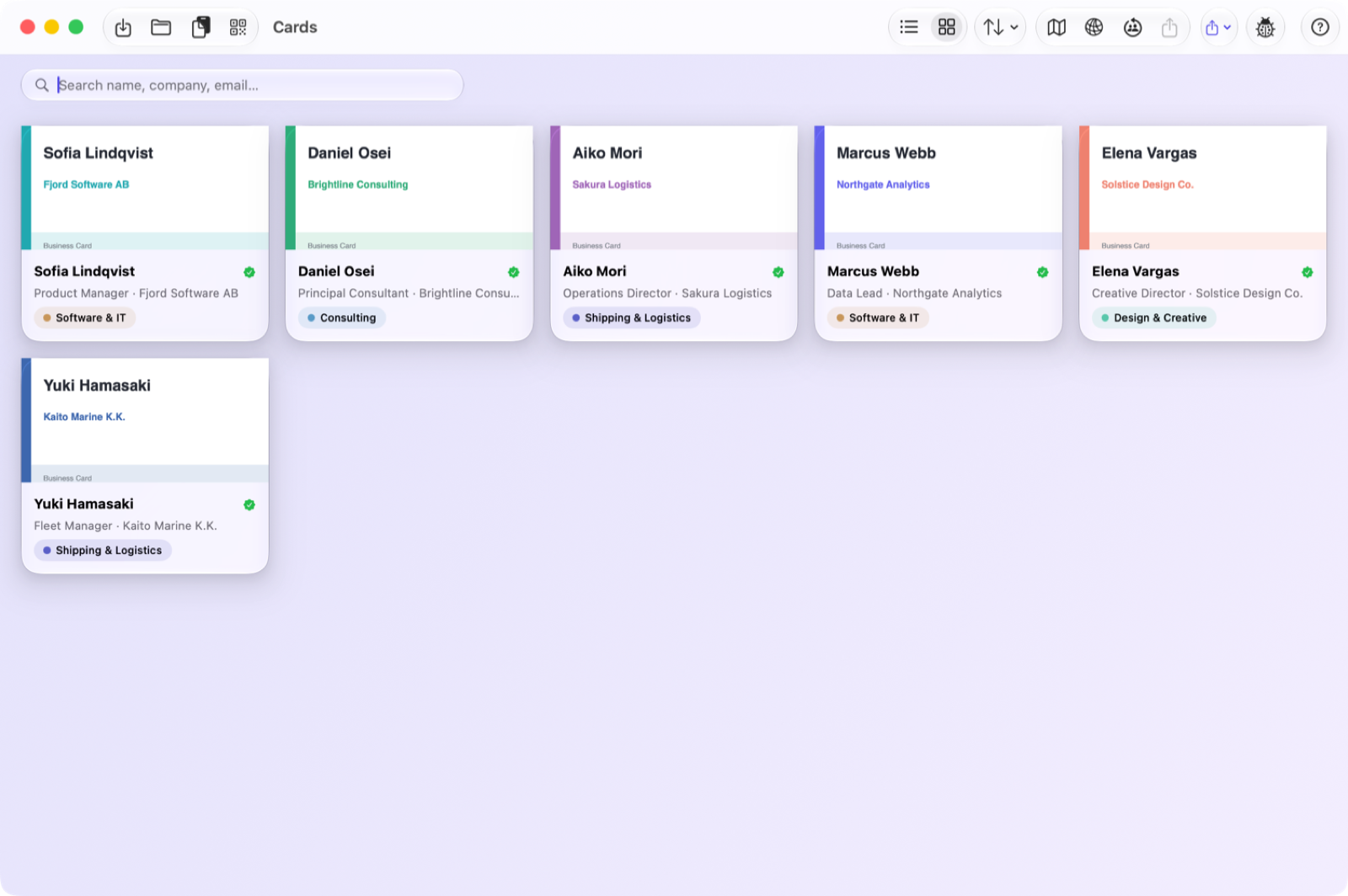
One library. Every machine.
Scan on your iPhone at the conference, tidy up on your Mac at your desk. Same cards, everywhere, instantly.
Requires iOS 26.5 or macOS 26.5. Siri answers, the camera hand-off and Apple’s Private Cloud Compute need iOS 27 or macOS 27.
One purchase. Not a subscription.
Try it on ten real cards before paying anything. After that a single unlock lifts the limit for good — no monthly fee, no renewal, nothing to cancel.
- Unlimited cards — the 10-card limit is gone
- Every export — vCard, CSV, Outlook CSV and Salesforce
- Google Contacts and Office 365 sync, and Save to Contacts
- Team library — share a fair's cards with your stand
- Your own card on an NFC tag and in Apple Wallet
The iPhone and Mac apps are sold separately, so each is unlocked on its own. Your library syncs between them either way, through your own iCloud.